Log entry
Solar PV Viewer
I am fortunate enough to have a solar system on my house to help with power bills. The other members of the household ask me every now and then about solar and want to know if we are generating enough to power the house. Rather than keep asking Dad, better if they are empowered to work it out for themselves. Time for a Solar Monitor!
The magic that is an inverter
Solar systems come with an “Inverter” to convert the DC power generated by the solar panels to AC power for the house and the grid. All power for the house ends up going in and out through the inverter.
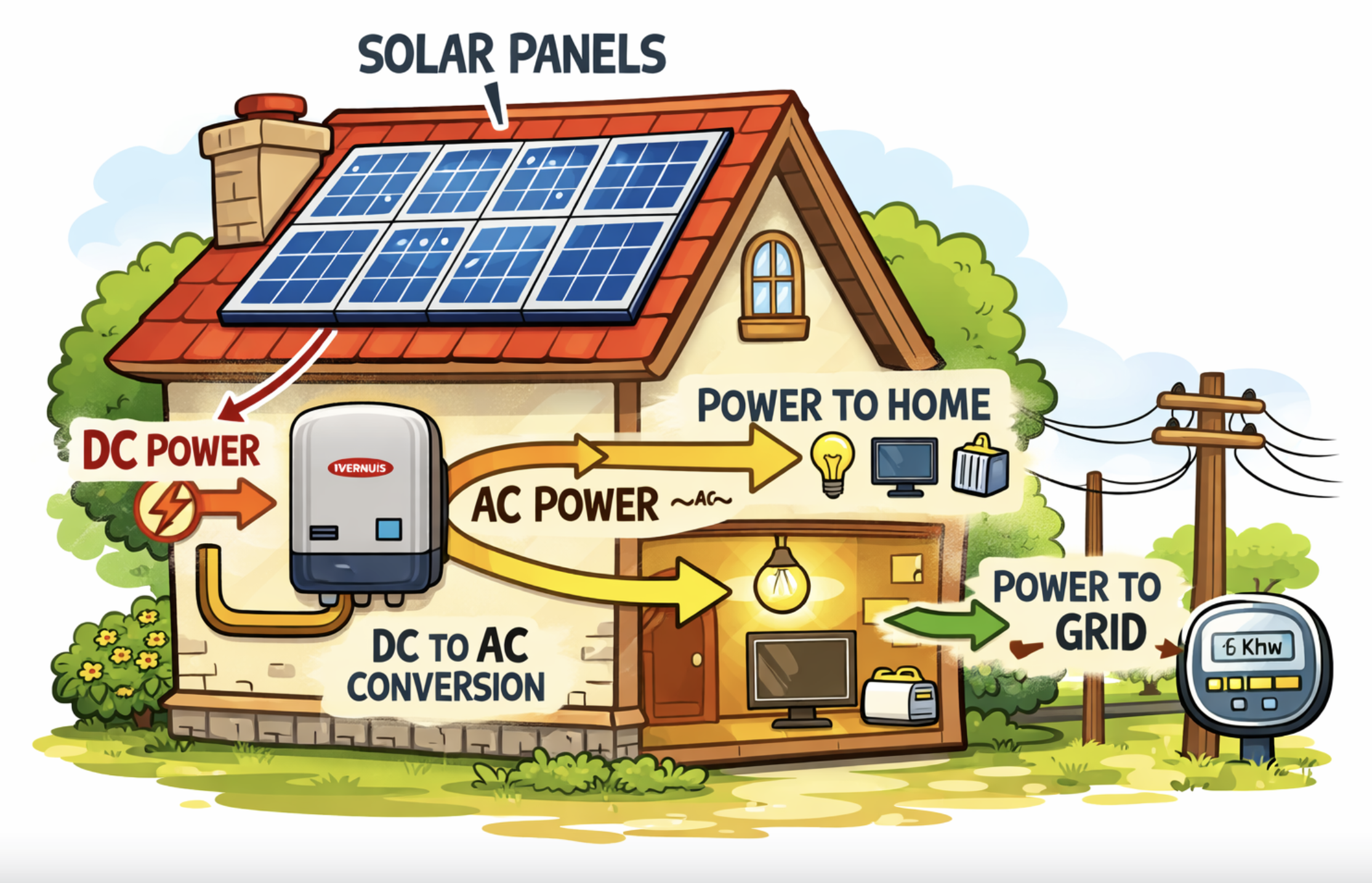
The trick is to be able to use the inverter’s API to see what it is up to.
Important: I have a Fronius Inverter and so this guide is intended for Fronius Inverters only. Other Inverters will be similar though and you could use this guide for… inspiration.
First: You are going to need the IP address
For this guide to work, you will need the IP address of the inverter. I’m not going to sugarcoat it: getting the ip address is a bit of a process.
Best to go to the guide here to see how to get to the Settings->Network area to see your inverter’s IP address.
My IP address was 192.168.0.113. Yours will be different, but I’ll use 192.168.0.113 in this guide.
Tip: If you are up for it, I’d suggest you go to your home router, give your device a name and give it a static ip address so that it won’t change. You can then goto your router and see what the ip address is if you need it. Much easier than the Fronius guide.
Next: does the Fronius inverter have an API?
Yes it does!
There are handy guides from Fronius here detailing how it works.
The Fronius inverter api url you want to use will be similar to: http://192.168.0.113/solar_api/v1/GetPowerFlowRealtimeData.fcgi It will return a JSON object that looks like:
{
   "Body" : {
      "Data" : {
         "Inverters" : {
            "1" : {
               "DT" : 75,
               "E_Day" : 22733,
               "E_Total" : 50581300,
               "E_Year" : 3863573.25,
               "P" : 2106
            }
         },
         "Site" : {
            "E_Day" : 22733,
            "E_Total" : 50581300,
            "E_Year" : 3863573.25,
            "Meter_Location" : "grid",
            "Mode" : "meter",
            "P_Akku" : null,
            "P_Grid" : -1534.8900000000001,
            "P_Load" : -571.1099999999999,
            "P_PV" : 2106,
            "rel_Autonomy" : 100,
            "rel_SelfConsumption" : 27.11823361823361
         },
         "Version" : "12"
      }
   },
   "Head" : {
      "RequestArguments" : {},
      "Status" : {
         "Code" : 0,
         "Reason" : "",
         "UserMessage" : ""
      },
      "Timestamp" : "2026-05-05T15:24:24+10:00"
   }
}
- P_Load is how much the house is using.
- P_PV is how much solar is being generated.
- P_Grid is how much is being exported to the grid.
We’re gonna need a website
To help visualise what the Solar system is up to, we are going to need a website. In the “olden days”, I would have coded it myself. These days, AI can help.
Here is the prompt I used:
AI Prompt for site
Can you make me an HTML + Javascript website to show a linegraph of the watts generated via my solar system via my Fronius inverter?Use chart.js to render the graph full screen. I don't want any npm packages to version maintain. Use the CDN url for chart.js
The Fronius inverter api url is: http://192.168.0.113/solar_api/v1/GetPowerFlowRealtimeData.fcgi It will return a JSON object.
Use the Body.Data.Site.P_PV JSON value on the chart with a green line
Use the Body.Data.Site.P_Load JSON value on the chart with a red line. The value is negative by default, so do use Math.Abs to make it into a positive number
I like to follow the KISS principle so keep the code as tight as possible. No need for tests or error handling.
Have the graph call the api every 3 seconds and update the graph accordingly please.
Ugh, CORS!!!
The Cross-Origin Resource Sharing security protocol was introduced decades ago to help protect users making api calls via browsers, and has been making developers’ lives difficult ever since :) In short, if the API call is to the same origin as the site, you are ok. However, if the API call is to a different origin and the call doesn’t match the CORS settings for the API, or the CORS settings are missing entirely, the browser blocks the call.
Unfortunately for us, the Fronius inverter API lacks the CORS settings. It appears that it was never intended to be called directly from a browser. However, this is more of a speed bump than a roadblock for us: we’ll just add a small server into the mix and use it as a “proxy”.
It’s AI time again:
AI Prompt for server
The Fronius api lacks CORS and so can't be called directly by the site.Can you add a small proxy server written in Python which calls the Fronius url?
Can you then update the site to call the proxy.
Best make the server accept the ip address of the fronius inverter as a parameter
Finally, I'll never remember to start both the server and the site. Can you add in a start.sh file to ask the user for the Fronius inverter IP address and then start the server? If the user cancels out of the script, it should kill the server. Best chmod the script to be executable please
Can I see it in action?
Success! This is what it looks like:
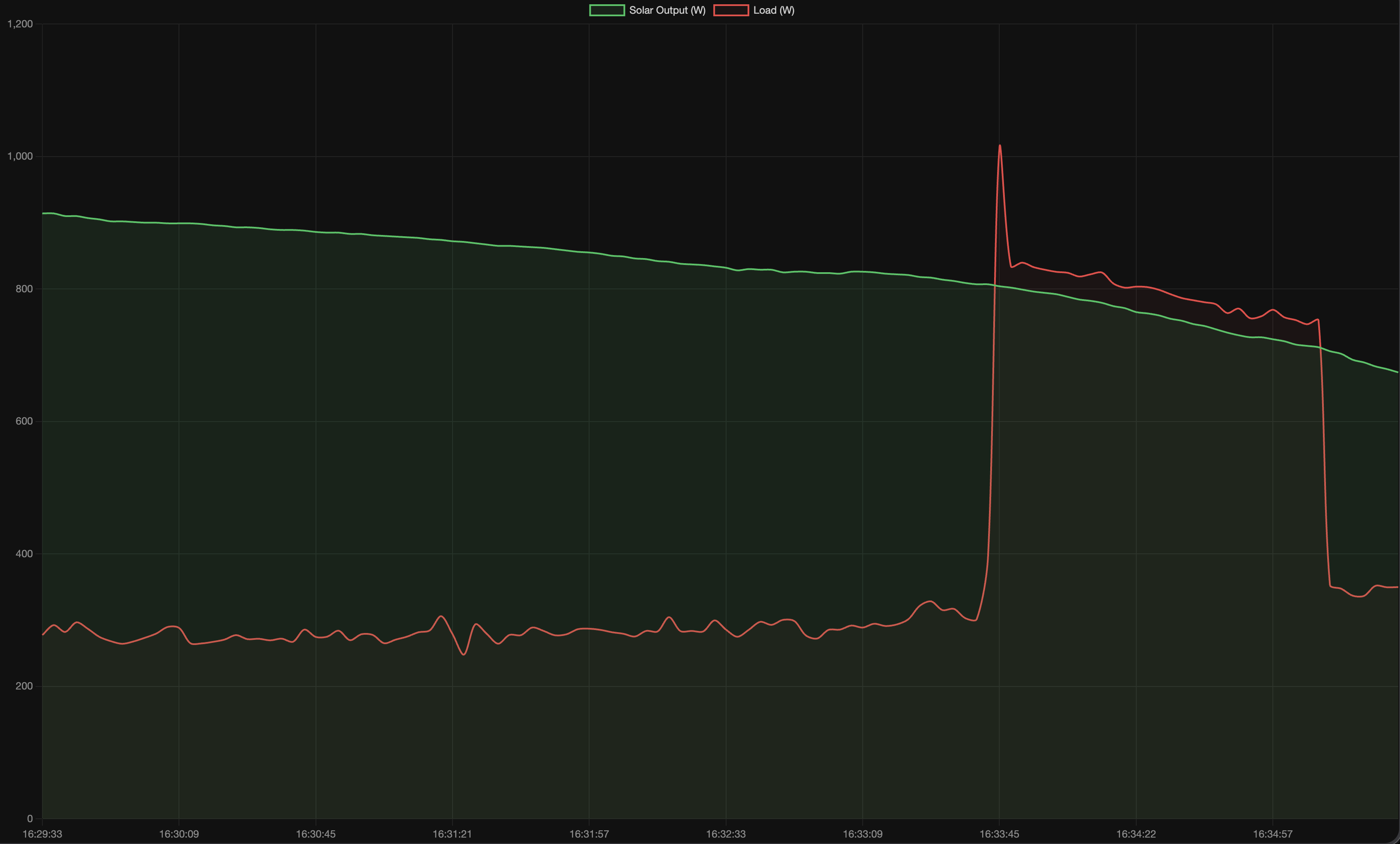
The house was generating lots of excess solar (green line), but the usage jumped up a bit near the end (red line)
Is the source code available?
Absolutely! Find the source code in Github