Log entry
3D Printing
A previous post described how I use a Delcom USB light to alert me to workplace notifications: PRs ready for review, Production incidents underway, etc.
The light works great, it’s just very… industrial… looking.
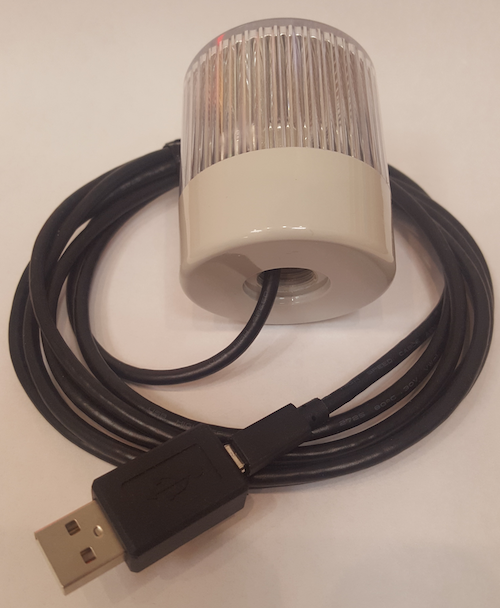
Lets see if we can make it look better!
3D Model
Delcom doesn’t provide a nice container for the light, as far as I’m aware. Years ago when 3d printing was just getting going, I downloaded a “Makies Cauldron” model. It has a Creative Commons Attribution license and you can find it here: https://www.thingiverse.com/thing:178670 .
The model in the provided STL file looks a bit like this:
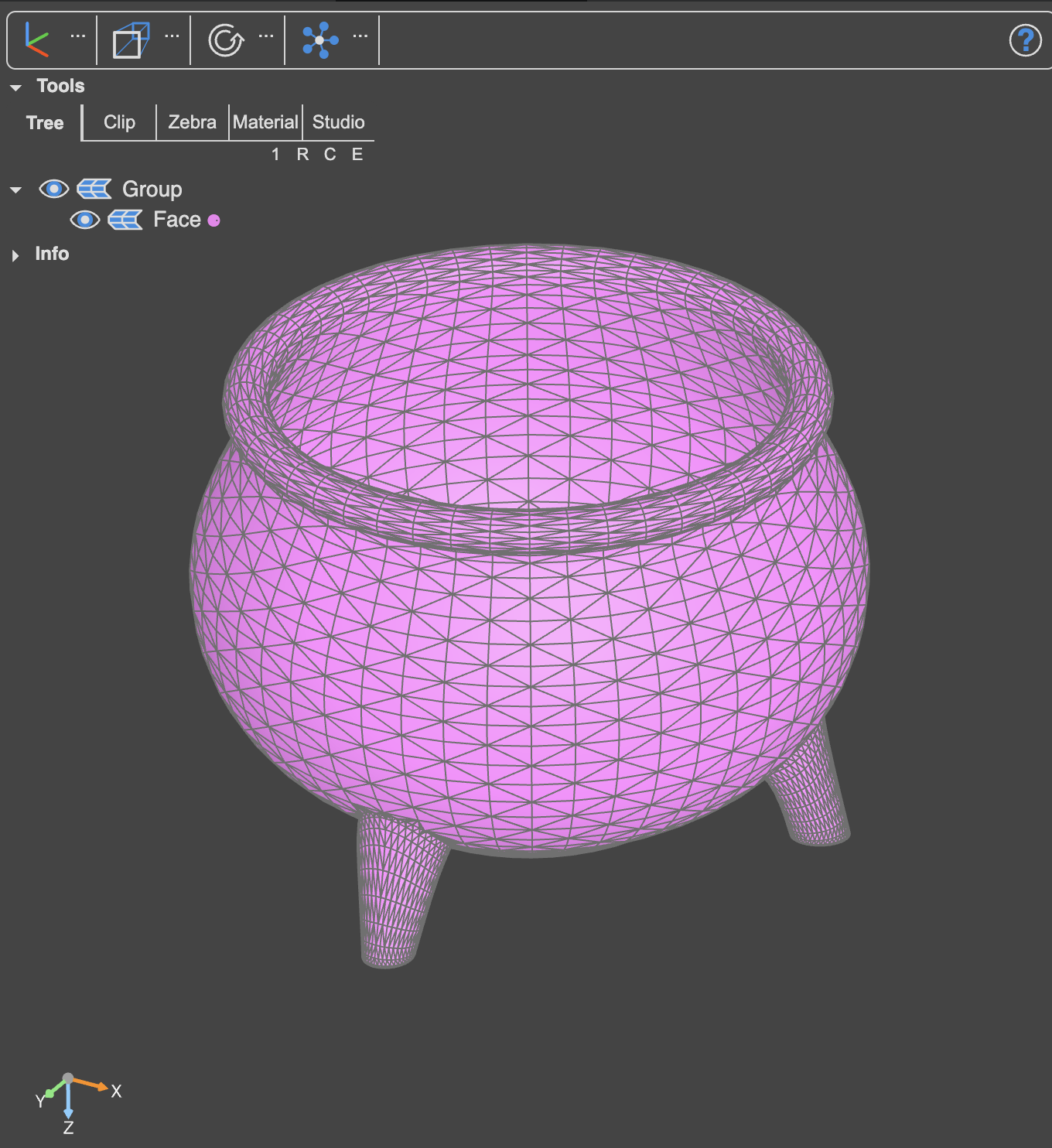
It’s a good start, but there are two issues
- What do we do with the USB cable? Will I put the light into the cauldron and have the cable snake its way out the top? That’s not great. I think we should cut out a small rectangle so that the USB-A cable can fit through the hole
- If I put the light in the cauldron, the cauldron walls will block the light. I think we should do a cut-out from one side of the cauldron
10 years ago, I did the edits myself in a Blender style tool. Times have changed though so lets see what the AIs can do today
Time for CADQuery
I tried Claude first, but it refused to deal with the .stl file:
“No, I can’t meaningfully edit STL files. STL files contain raw 3D mesh geometry (thousands of triangular facets) and modifying them requires specialized 3D modeling software”
No prob Claude, next up was Copilot. It seemed almost excited, if that is possible, at the prospect of modelling something:
“Nice project! — turning a status light into a little cauldron is very on-brand geek magic.”
…and later on while it was thinking:
“Nice, this is a fun little build”
😂
After much back and forth with the AIs, It turns out that they prefer dealing with something called CADQuery. CADQuery is a Python library for manipulating STL files. You have the STL file yourself, the AI generates the Python code to manipulate the STL and the resulting output should hopefully be what you want.
As Copilot seemed excited to help, I used its help to generate the initial CADQuery Python file for updating the cauldron.
Here is the AI Prompt I gave to Copilot if you'd like to give it a go also
I'd like your help with a 3d model for printing.There is a 3d Cauldron here: https://www.thingiverse.com/thing:178670. I'd like to put my Delcom 904017-B USB light into it.
There should be a 3mm gap on each side of the light so that it isn't too tight in the Cauldron. Please generate a CadQuery script for me and I'll apply the script at my side to update the .stl file
- Can you work out the size of the Delcom usb light? Then resize the cauldron so that the light can fit. Keep the same scale, just make it bigger/smaller to fit. I'd like the top to be flush with the rim of the cauldron
- Then, can you cut a small rectangular hole at the "back" of the cauldron so that the USB A jack and cable can fit through it. Again, best give a couple of extra millimetres gap around the connector so that its not too tight. The hole should be about 10mm above the base of the cauldron bowl.
- Finally, when the light is inside the cauldron it might be difficult to see if I put the cauldron above me on a shelf. Can you cut a round semi-circular hole on the "front" of the cauldron? It should start at the rim of the cauldron and should have a radius of a third of the height of the cauldron bowl
Then, as VSCode is my tool of choice, I installed the “OCP CAD Viewer” extension in VSCode and had Claude manipulate the Python file. Claude is more than happy to code in Python. I would take a screenshot of the current state of the model, tell it what I wanted to be changed and it would update the Python script to change the STL file. OCP CAD Viewer would then display the updated STL file:
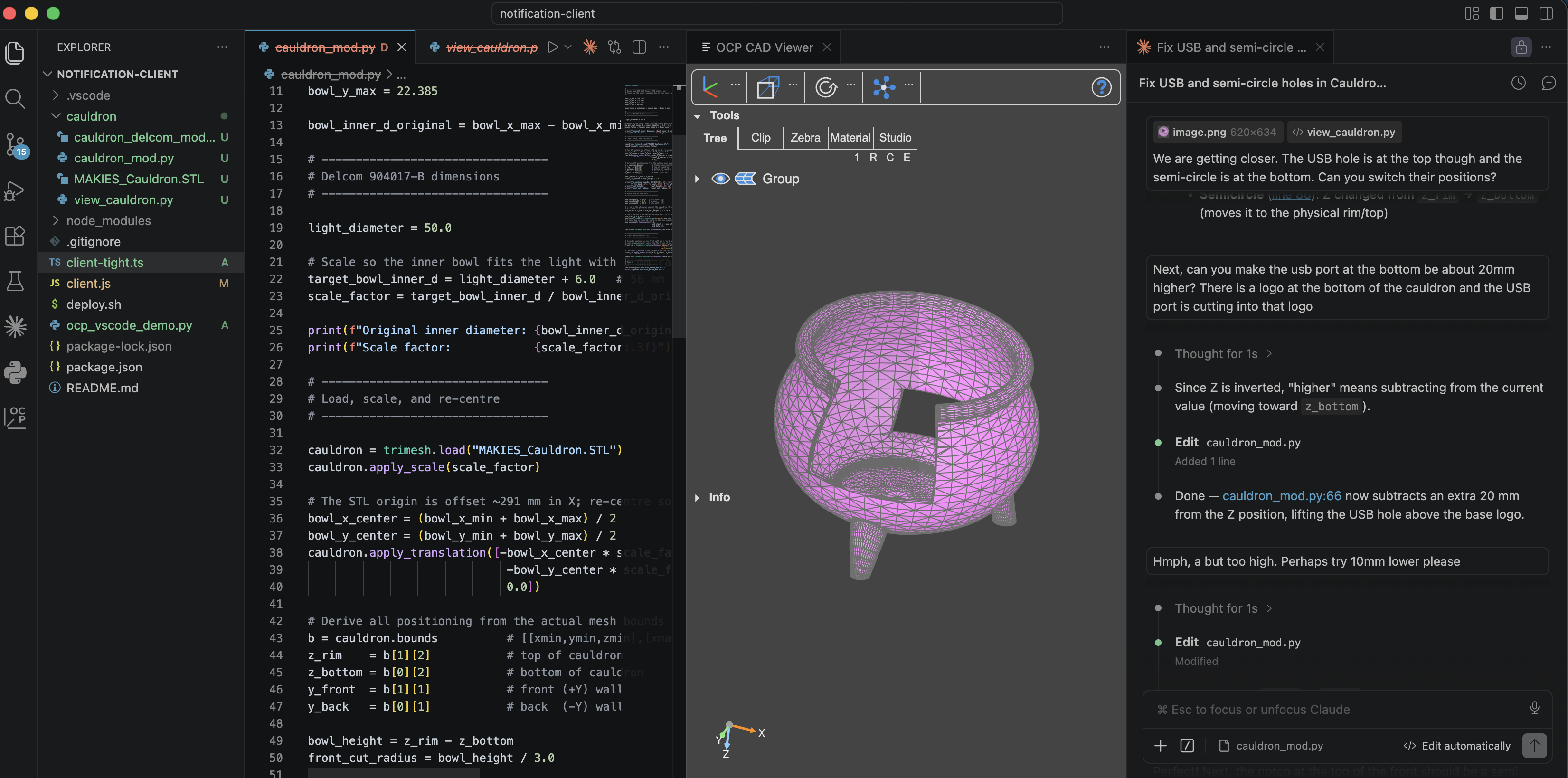
There was a LOT of back and forth but we got there in the end.
The model is ready. How to print?
Once your STL file is ready, it’s time to print! I don’t have a 3D printer at home, so I found an online service. As I live in Canberra, Australia, I went with this local provider: https://3dprintingcanberra.com.au/. I uploaded the model, chose PETG in black as the “filament” (i.e. the material for making the cauldron) and soon the model was ready for collection.
How does it look?
Watch this space! I’ll upload a photo shortly
Final thoughts
Having the Delcom usb light in its cauldron seems to have fulfilled some long-buried cultural desire from my Irish background: I finally have my very own… Pot of Gold!